
See what's eating your Mac — down to the byte
One scan of your whole drive and every gigabyte is explained. Nine visualizers, a duplicate finder that hashes real file contents, a dev-cache cleaner, snapshots, and cleanup that only ever goes to the Trash. All native, all local.
macOS 14+ · Apple Silicon & Intel · License key emailed the moment payment clears
- Scans a full drive in seconds — nothing leaves your machine
- Not another subscription: pay once, keep it forever
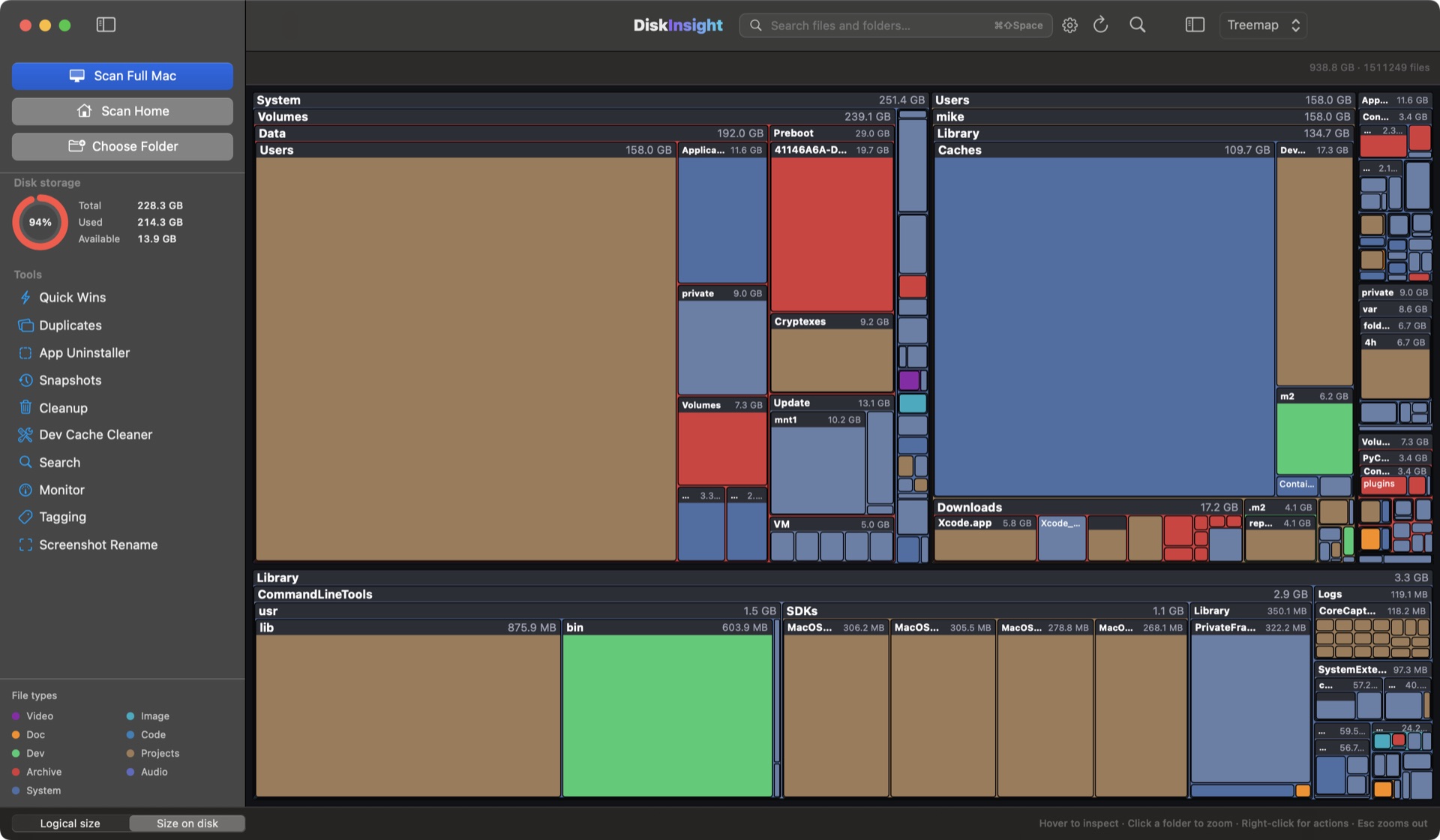
From a real full-Mac scan of a 228.3 GB drive. Your results will differ.
The whole disk, made legible
DiskInsight maps every byte once, then lets you switch instantly between visualizers — from a treemap of your whole drive down to a single file.
Treemap
Squarified map of every file
Folders
Expand folder by folder
List view
Flat, sortable, searchable
Top sizes
The biggest items, ranked
Age map
Bytes by last-modified date
Sunburst
Rings of folder depth
Flame graph
Follows the long tail deep
Bubbles
One circle per folder
Mind map
Branches, parent kept in view
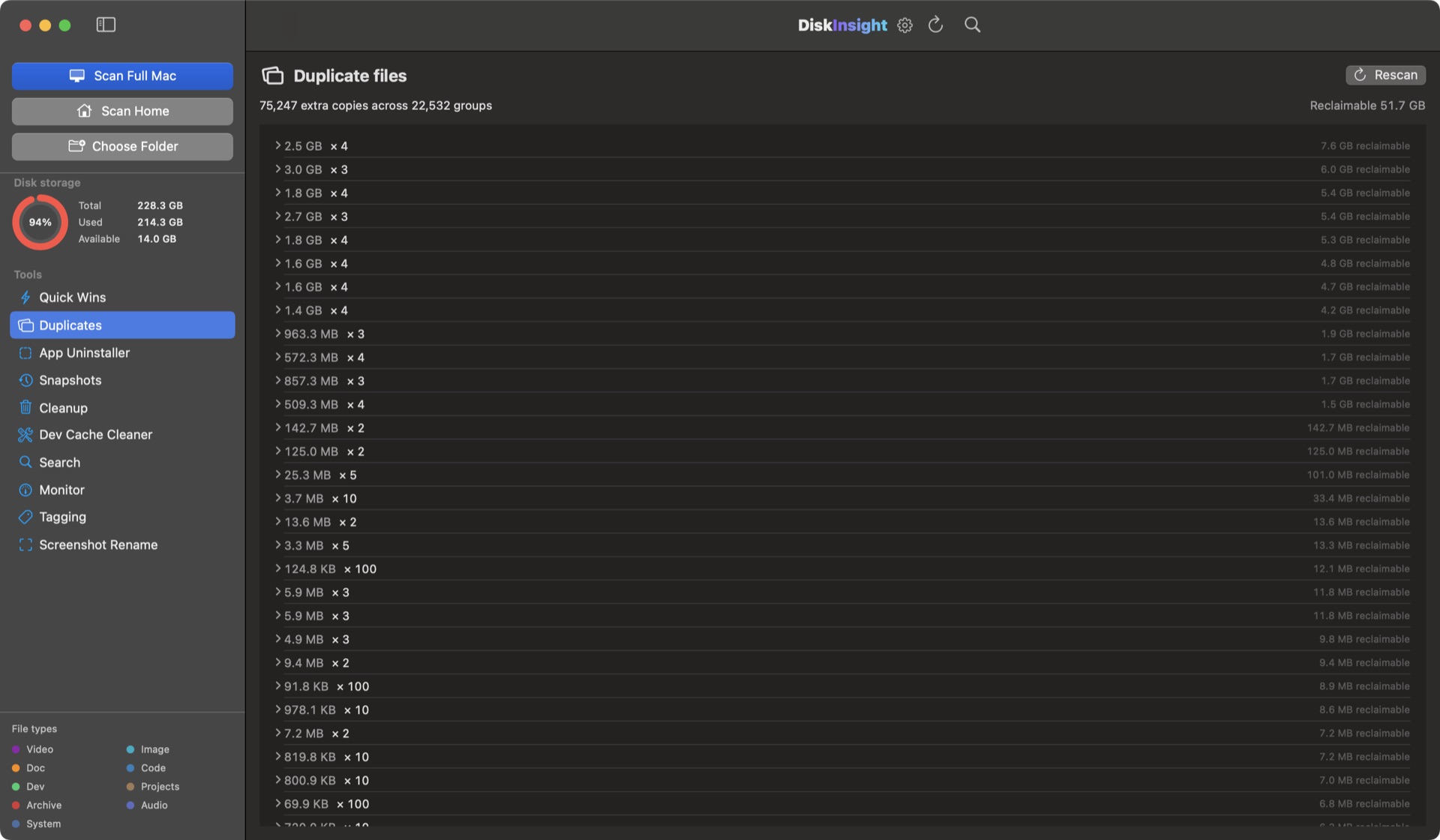
75,129 extra copies. Grouped. Previewed. One scan.
DiskInsight hashes file contents — not just names — so it finds duplicates that macOS and Finder silently skip. Every group shows its size and what you'd reclaim.
- Content-addressed scanning catches copies with different names and folders.
- Preview any group before you act — keep the copy you want.
- Reclaimable bytes per group, sorted by what's worth your time.
What's safe to delete, calculated before you touch it
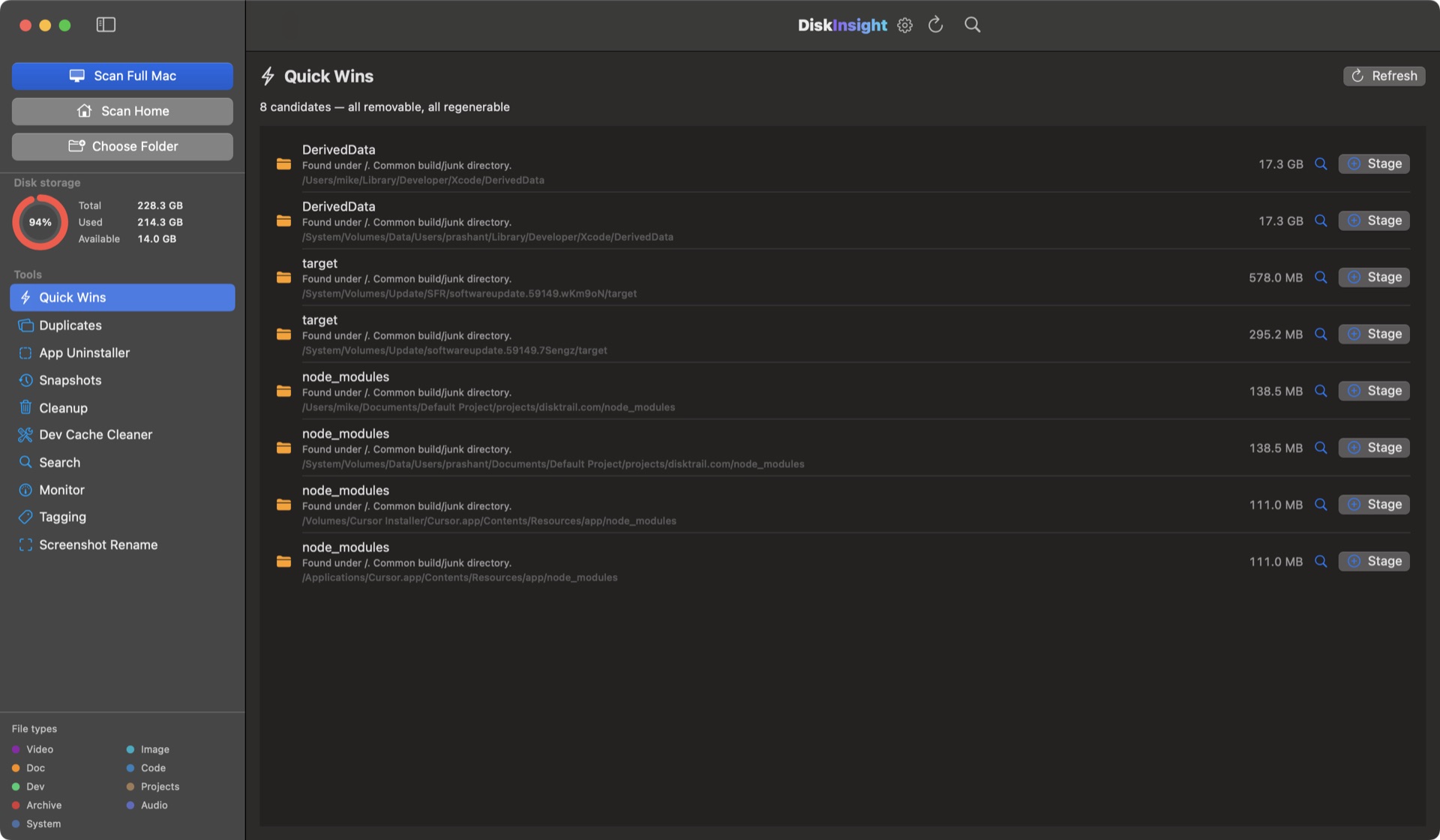
Quick Wins ranks what actually matters by reclaimable bytes × safety. DerivedData, node_modules, dist folders — each with a plain-language reason and the exact bytes.
- 8 candidates on a typical dev machine — all removable, all regenerable.
- Byte counts computed in advance; nothing is deleted until you review it.
- Everything goes to the Trash first. Undo anytime.
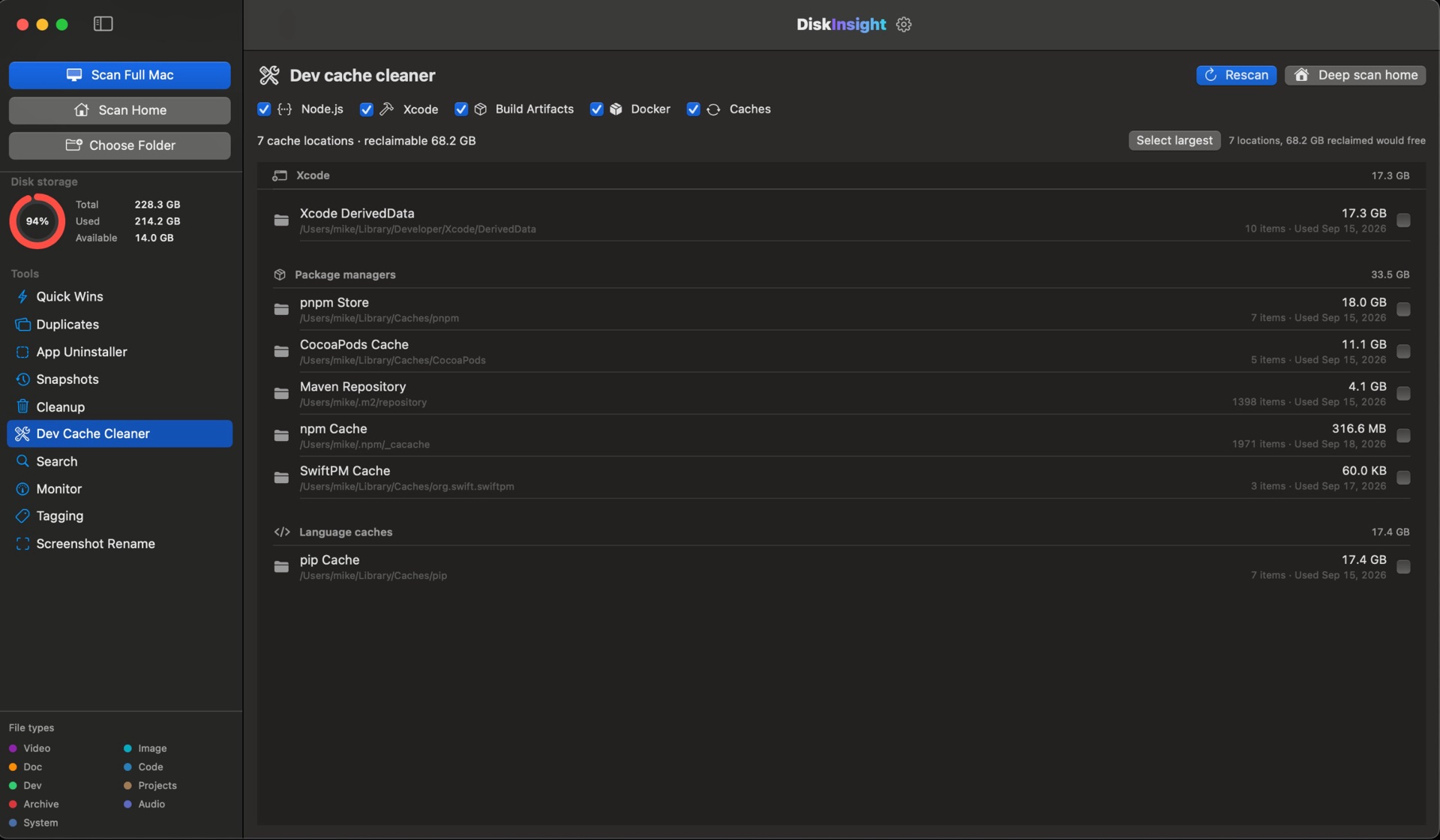
The build junk other tools can't see
Xcode DerivedData, Archives, simulators, SwiftPM, CocoaPods, Gradle, npm/pnpm/Yarn, pip — DiskInsight finds every dev cache on your machine and tells you its byte cost.
- 20 curated dev locations plus a deep sweep of your home folder.
- One pass reclaimed 68.2 GB on a real machine.
- Cache-aware: it knows what's regenerable, so you never lose work.
Uninstall the app and everything it left behind
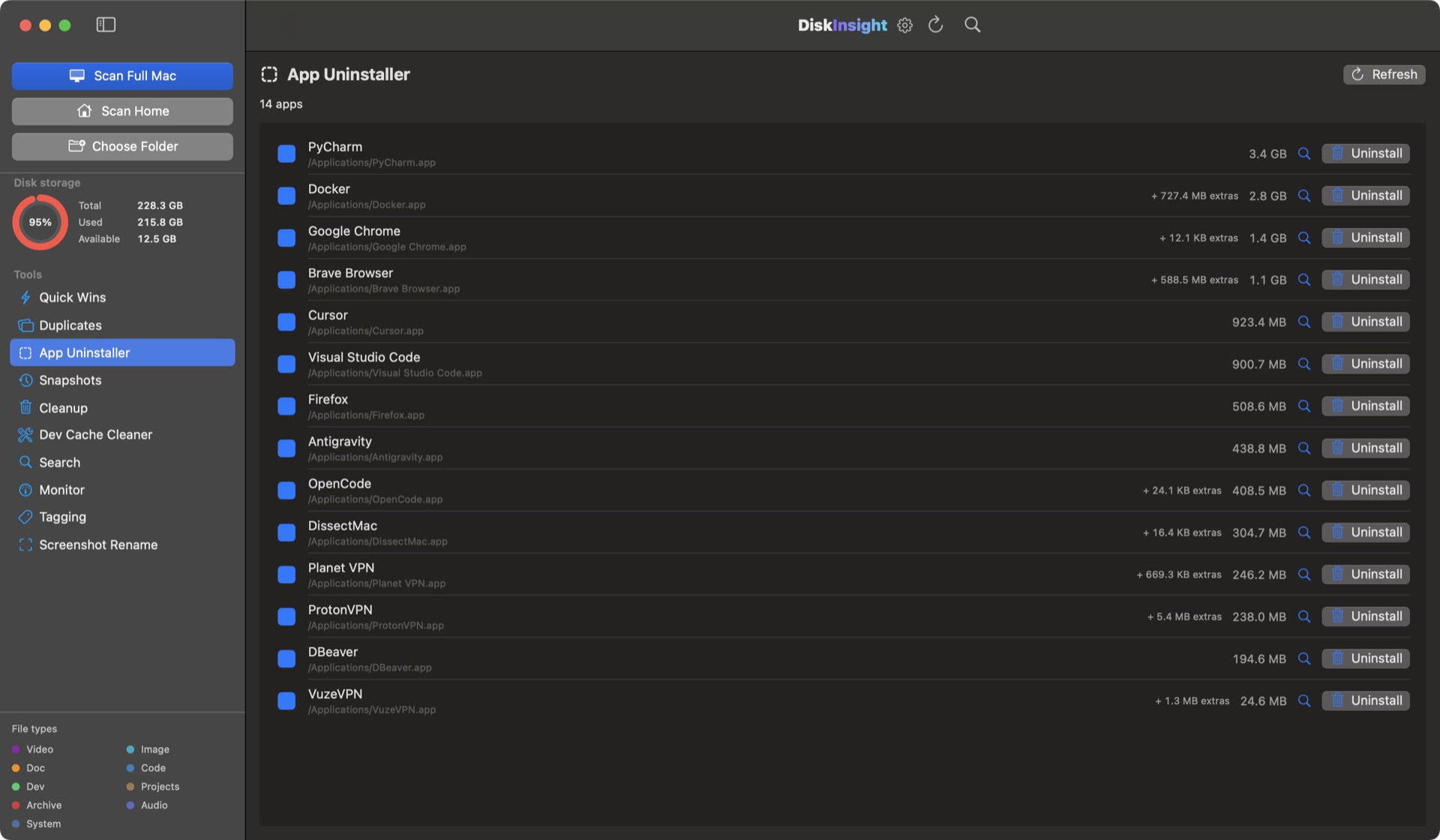
Dragging an app to the Trash leaves most of it behind. DiskInsight finds the bundle plus Application Support, Containers, Caches, Preferences and WebKit data — and removes them in one deliberate move.
- True footprint per app: bundle + every helper it scattered.
- Confirmation dialog before anything moves.
- Everything lands in the Trash, never permanently.
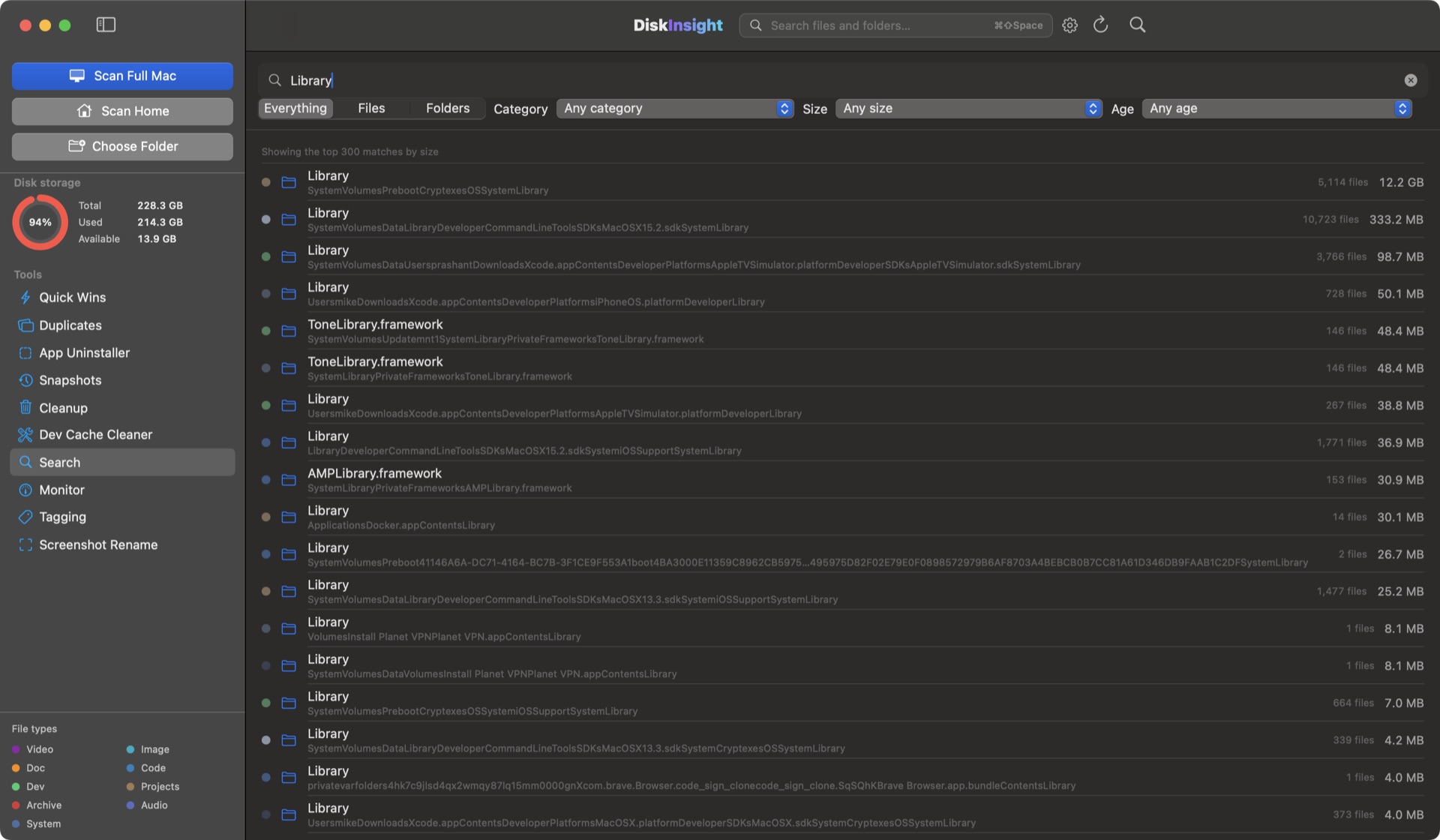
Find any file on your Mac in seconds
Search the whole scan by name, type, or size — with filters that rank the best matches first. Open the floating search from anywhere with ⌘⇧Space.
- Best matches ranked by size, so you spend time on the files that matter.
- Filter by file type, category and age before you even type.
- Jump straight to results in the treemap, or open files from the list.
Turn "Screen Shot 2026-08-14 at 09.31.45" into a name you'll actually find
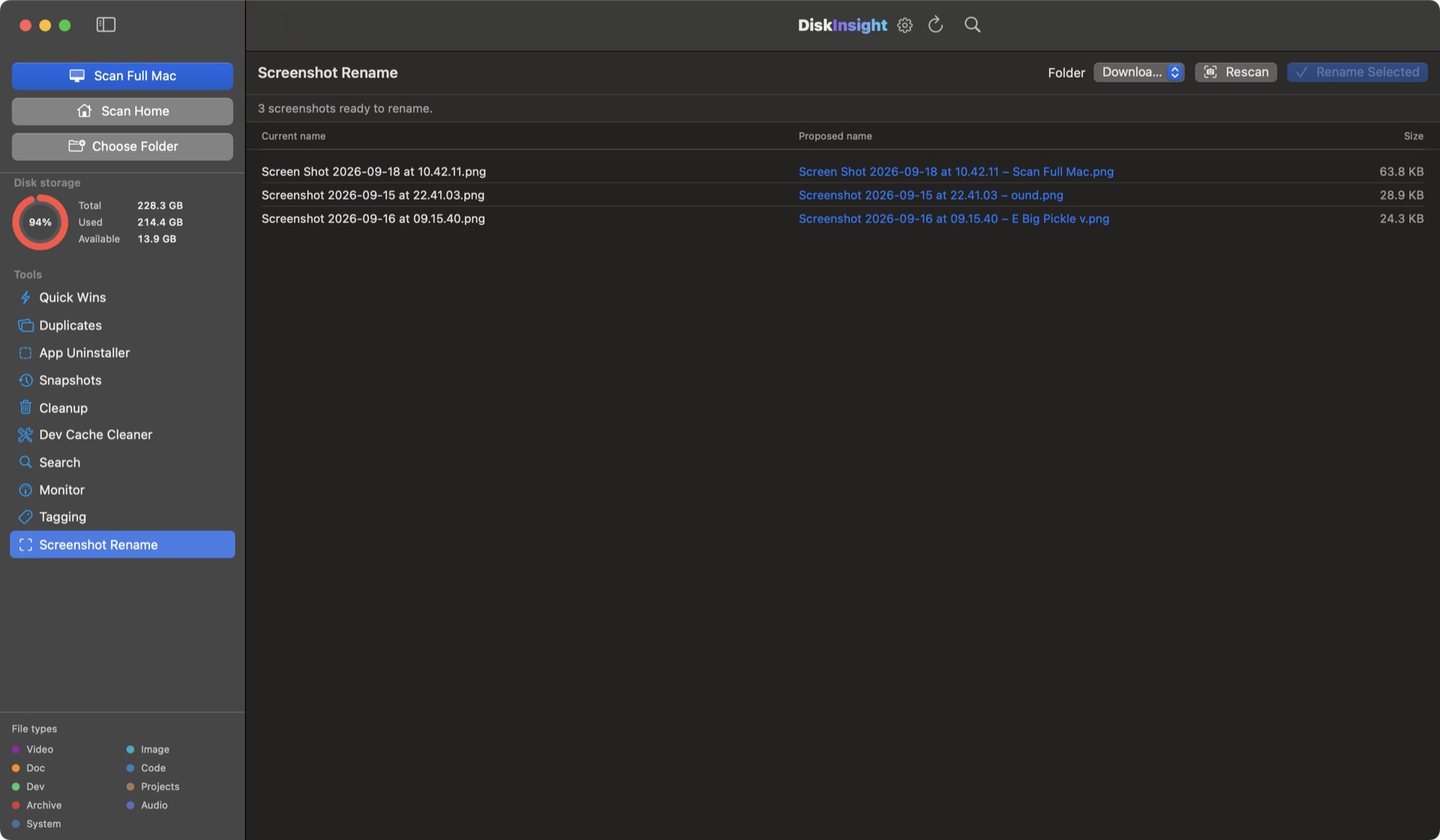
Point DiskInsight at a folder of screenshots and it OCRs each one, proposes clean descriptive names, and renames everything in one pass — with a side-by-side review before anything moves.
- OCR reads each screenshot so the new name matches what's on screen.
- Suggestions shown next to the old name — approve or edit any of them.
- Runs entirely on your Mac; the images never leave the machine.
Beyond the treemap
Snapshot your disk and compare it later. Search any file. Watch your Mac work. All of it native, all of it local.
Snapshots & growth
Save a picture of your disk and compare it later. See exactly which folders grew and what to reclaim.
System monitor
Live CPU, memory, network and battery with sparklines plus a top-processes table — sampled every second, on your machine.
File-type & bloat filters
Narrow by video, audio, code or archives — or collapse node_modules and build trees so real data stays visible.
Logical vs on-disk size
See logical size and "size on disk" together, so clones and sparse files stop confusing you.
Staged cleanup
Everything you mark for removal waits in one review list. Nothing is trashed until you say so.
Exportable by design
Scan results, snapshots and settings are local files you own. Uninstalling DiskInsight removes every trace.
Your build cache is eating your disk
Xcode, npm, CocoaPods, Gradle — they all leave gigabytes behind. DiskInsight hunts down the exact bytes so you can reclaim them deliberately.
Xcode & Swift
DerivedData, Archives, simulators, SwiftPM — each with its byte cost, one click to Trash.
Node, Python & Ruby
npm/pnpm/Yarn caches, pip, gem caches and node_modules bloat.
Go, Rust & .NET
go-build and module caches, Cargo registries, NuGet packages — content-addressable stores that silently grow.
Gradle, Maven & more
Gradle caches, the Maven repository, CocoaPods pods, Carthage, SwiftPM and pnpm stores.
Package-manager stores
Stale versions that linger in content-addressable stores for years — shown as real bytes.
Deep home sweep
Stray .build, target, dist and node_modules the package managers no longer track.
100% local. Nothing leaves your Mac.
DiskInsight has no account, no cloud, no analytics and no telemetry. Scanning, search indexes, snapshots and cleanup all run on your machine — offline or online, it doesn't matter.
- No background process phones home. No "phoning home", period.
- Snapshots and scan data live only in your app support folder.
- No crash tracking, no usage stats, no analytics SDKs.
- Perfect for work laptops under NDA and people who just value privacy.
Clean up without the fear
DiskInsight treats your data as precious. That's why cleanup always goes to the macOS Trash — never permanent, always inspectable.
- Stage anything from the treemap, list or duplicates view with a right-click.
- One "Move to Trash" sends everything to the macOS Trash — undoable until you empty it.
- Every destructive action asks for confirmation. No background deletion, ever.
- Quick Wins computes exactly how many bytes each cleanup frees before you commit.
From first scan to reclaimed space in four steps
Buy
Pay once for a lifetime license. Your license key and the download link appear instantly, and are emailed to you.
Install
Open the DMG and drag DiskInsight to Applications. Launch it and paste in your license key.
Scan
Choose a folder, home, or the whole Mac. A parallel scanner maps it fast — millions of files in minutes, with a live progress card.
Reclaim
Ride the treemap, run Quick Wins, then stage what to remove and move it to the Trash — reversible.
Know what's taking the space
Five plain-language guides on the exact things DiskInsight finds — read them all for nothing.
How to free up disk space
The built-in methods, what each one hides, and the gaps they leave behind.
Read the guide →Find duplicate files on a Mac
Why Finder misses most duplicates — and how to find the real ones.
Read the guide →Clean Xcode DerivedData
Reclaim gigabytes of build cache without breaking your next build.
Read the guide →What is System Data?
The category macOS will not open up — what it is and how to clear it.
Read the guide →DiskInsight vs DaisyDisk & CleanMyMac
An honest comparison — including the gaps in everything else.
Read the guide →Pay once. Keep it forever.
One payment. No subscription, no account, no upsell inside the app.
DiskInsight for Mac
Launch price for the first 100 copies. Own it forever — one payment, all 1.x updates included.
- All nine visualizers, nothing held back
- Duplicate finder and complete app uninstaller
- Snapshots, live monitor and the staged cleanup queue
- Dev Cache Cleaner for Xcode, npm, CocoaPods & Gradle
- Every 1.x update, free
Fits your Mac
- Native, small and private
- macOS 14+, Apple Silicon and Intel
- Works on one Mac at a time — move it whenever you like
- Runs offline. Nothing about your files leaves the machine
Great choice — your key and the download appear on screen and in your email the moment the payment clears. Secure checkout via DodoPayments. Already bought? Get your download link.
Questions, answered honestly
Does DiskInsight send my data anywhere?
No. DiskInsight is 100% local. Scanning, search, snapshot diffing and cleanup all run on your Mac. There is no account, no cloud sync, no analytics SDK and no telemetry. If you deny it network access entirely, nothing changes.
How much does DiskInsight cost?
DiskInsight is Launch price for the first 100 copies at 50% off — $9.99 one-time, normally $19.99. That buys a lifetime license for one Mac; you pay once and keep it forever, and every 1.x update is included. There is no subscription.
How do I get my license key?
Checkout is handled by DodoPayments. The moment your payment clears, your license key and the download link appear on the confirmation screen and are emailed to you.
What developer caches can it clean?
Dev Cache Cleaner targets Xcode DerivedData, Archives and iOS simulators, SwiftPM, CocoaPods, Gradle, npm/pnpm/Yarn, pip, go-build and more — plus a deep sweep of your home folder for stray build directories.
Does cleanup permanently delete files?
Never in the background. Everything is staged into a review list first, then moved to the macOS Trash. You can undo any cleanup until you empty the Trash yourself.
Can I remove an app and all its leftovers?
Yes. The App Uninstaller finds the bundle plus its Application Support, Containers, Caches, Preferences and WebKit data in one deliberate move, with a confirmation dialog first.
My Mac says 8 GB. DiskInsight found 22,502 duplicate groups — is that realistic?
Yes. Duplicate files are far more common than people expect, especially on long-lived machines with duplicated libraries, old downloads re-saved, and two generations of an app in the same folder. DiskInsight shows them all and only counts groups you can preview before acting.
Is this a subscription?
No. One payment, a lifetime license, all 1.x updates included. No recurring fee, no account, no upgrade nagging.
Your Mac is hiding gigabytes. Find them.
Lifetime license · Local scanning · No account, no cloud, no catch.